


SprintFit is a Fitness activity tracker prototype application using the Spring Boot framework with Thymeleaf front-end. It was my first ever Spring Boot project and served as an introduction to the power of Hibernate mapping when using create, read, update, delete (CRUD) based persistent storage in web development.
FEATURES
1. Adding Activities:
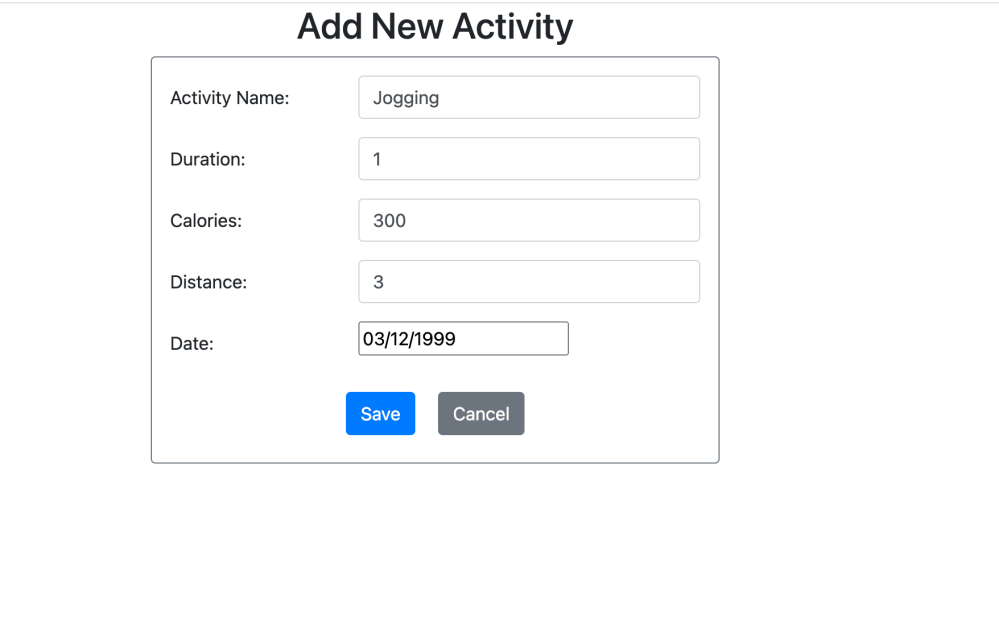
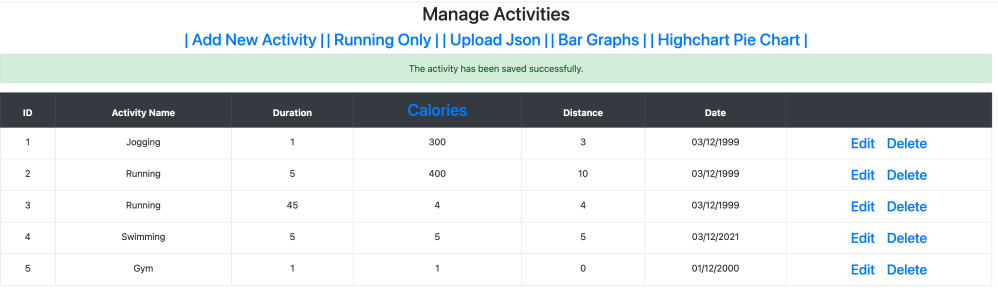
2. Populating the application with a large amount of data from a JSON array format:

3. Sorting (sort by calories):
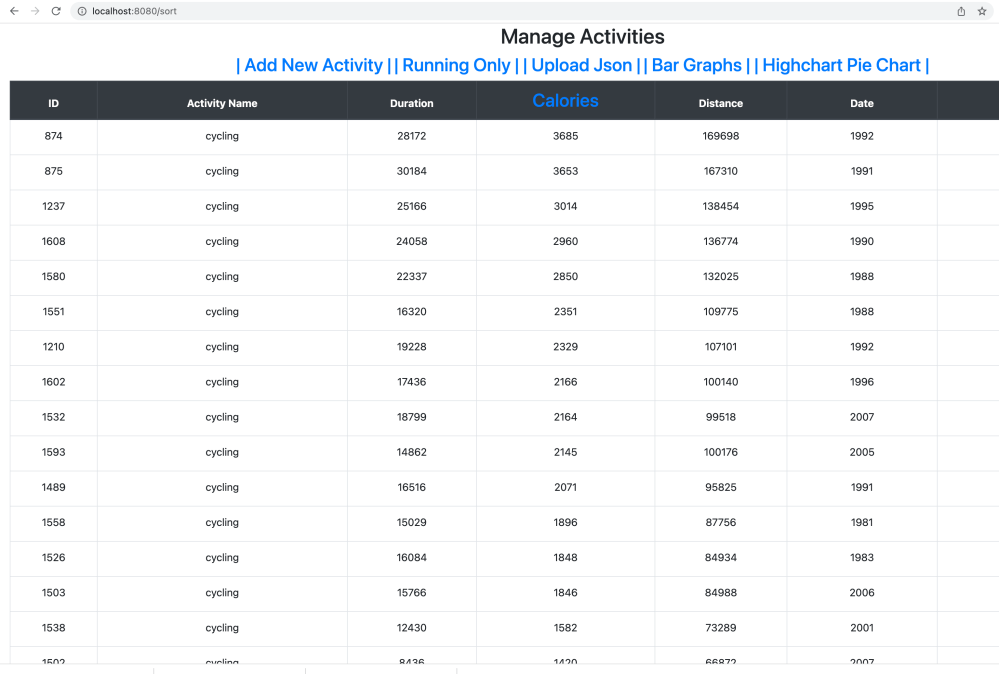
4. Editing Activity:

5. Graph Generation:

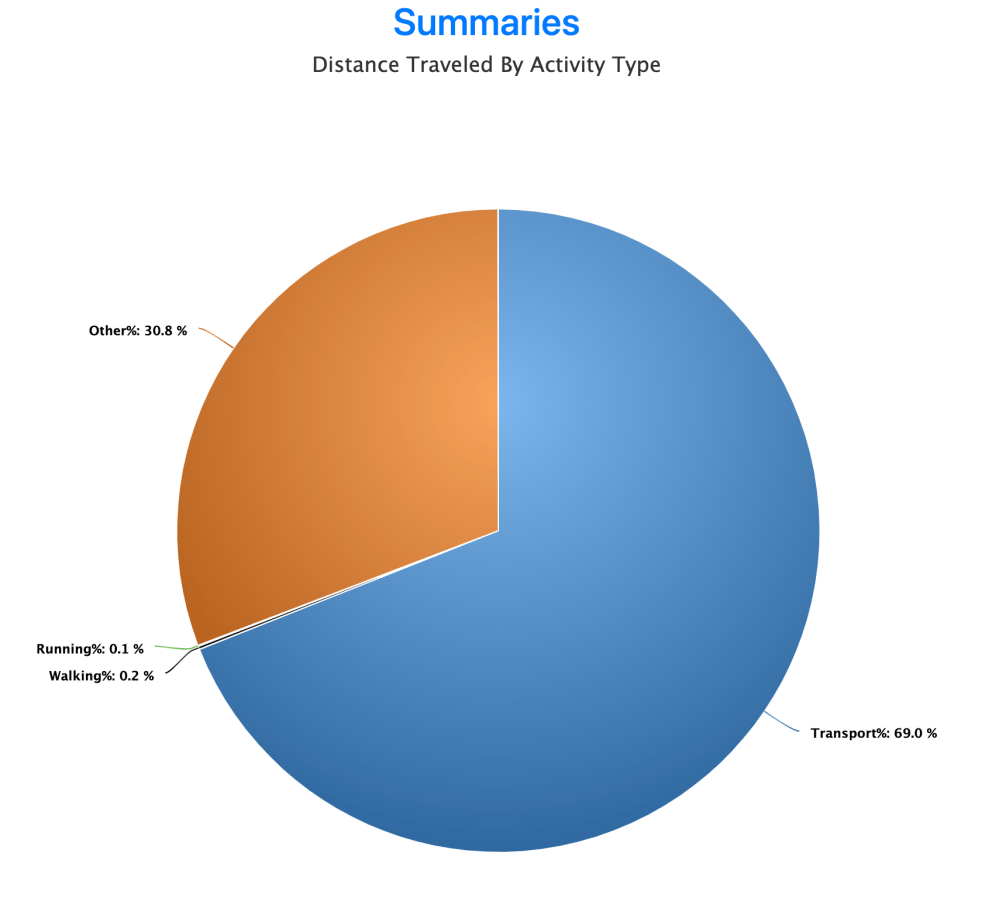
About the Project: What I learned.
Hibernate allowed me to map java classes to database tables using annotations. One result of this is that Hibernate can create tables in MySql upon program execution even though I did not create tables using SQL statements beforehands, so long as the annotations were setup correctly.
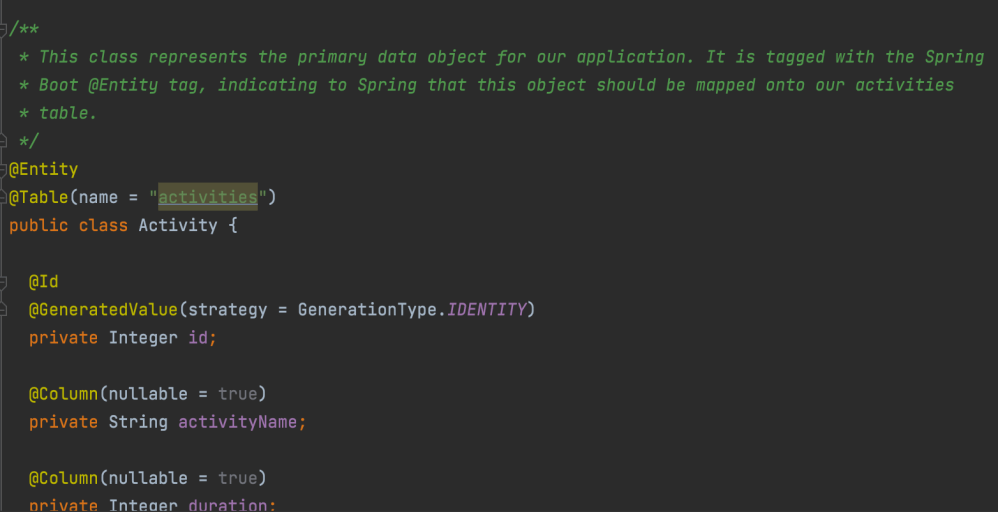
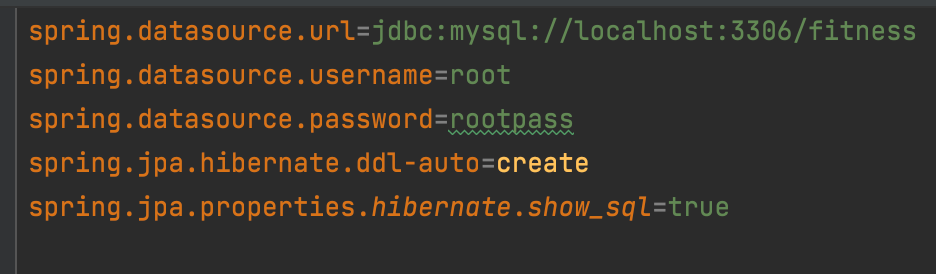
The primary data object for the application was an activity that had attributes such as the activity name, duration, and calories burned; by marking that POJO class with the Hibernate @Entity annotation, it is mapped to a MySql table, which makes CRUD operations easy.
This project was relatively simple, as there exists no relationships between tables (such as one-to-many), since there is only one table.
For an example of a more complex Spring Boot project with many tables sharing relationships, read about my Chess project here: https://gaveltech.wordpress.com/portfolio/ChessRepertoire/
When there is a request, the browser sends a HTTP request to a controller class. The controller maps request URLs to view templates via @GetMapping. Each controller method either returns the name of the Thymeleaf HTML template, the view which the model will be sent to. The controller sends CRUD instructions to a service layer. The service layer then executes the CRUD instructions on the repository, which then gets the data directly from the database. That data, the Model, is returned to the controller and then the view. For this project, I used the CrudRepository interface to make use of generic Java queries but also added a few simple queries to our repository class (for sorting in descending order) using the @Query annotation.
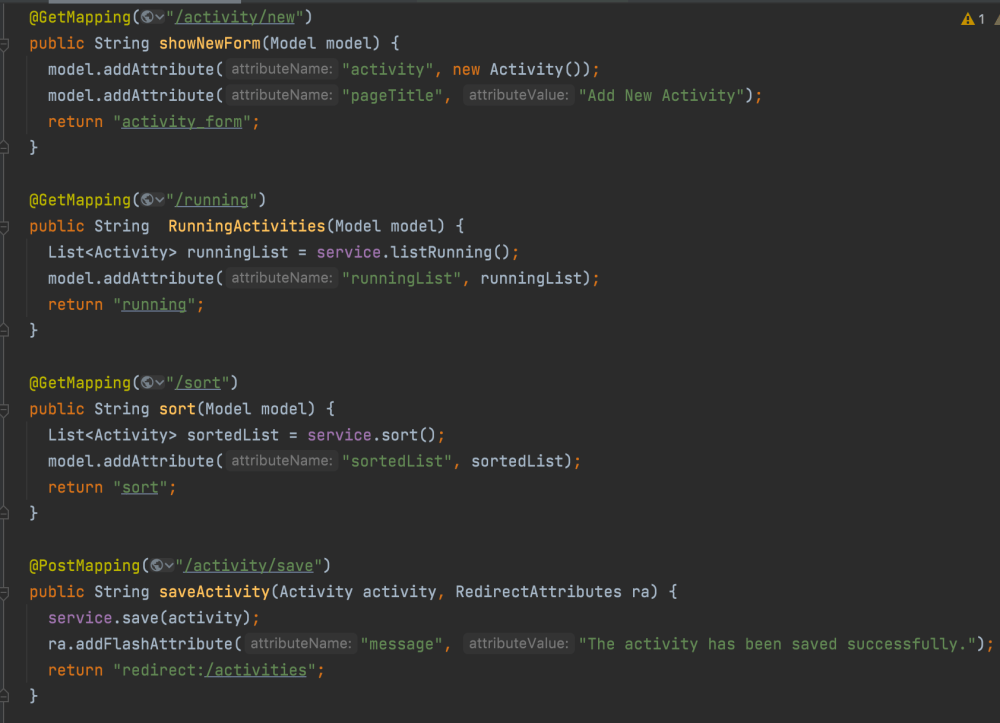
In larger web development projects, it is common to use Spring Boot to create an API controller which instead produces a JSON for each endpoint, to be utilized by a separate front-end application; here, instead, we make use of Thymeleaf templates for the front-end, but the concept is similar.
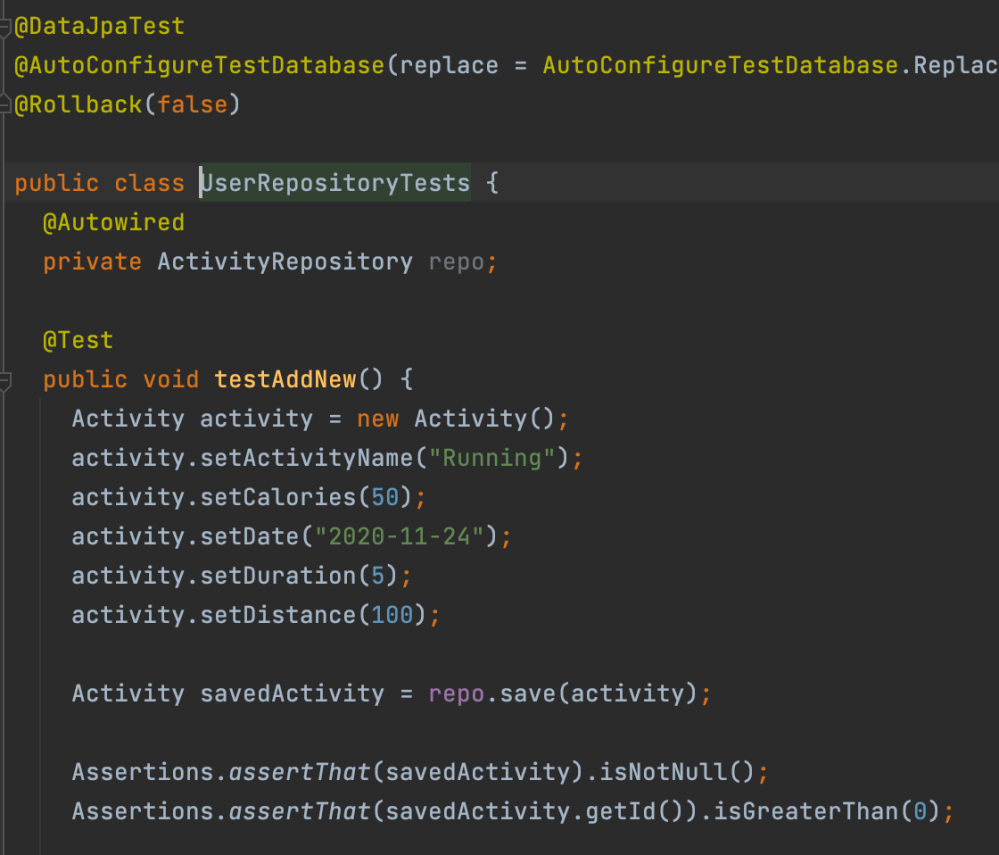
Testing with Hibernate is quite easy if the controller and repository are set up correctly. For this project I used JUnit Assertion testing to make sure that data was being saved correctly, for instance.
Note: This project is not deployed. It may be Cloned from my Github and ran so long as the application.properties file is setup to connect to your MySql. Note that you would not need to create/copy a databse schema, as Hibernate will create it for you upon execution of the MyFitnessAppwithMVCApplication class. To be able to upload a JSON file, however, the DAOJDBC class may also ned to be edited to specifically connect to your database.
 gaveltech.net
Leave a comment